Waterpark Simulator: Change Your Park Name and Logo
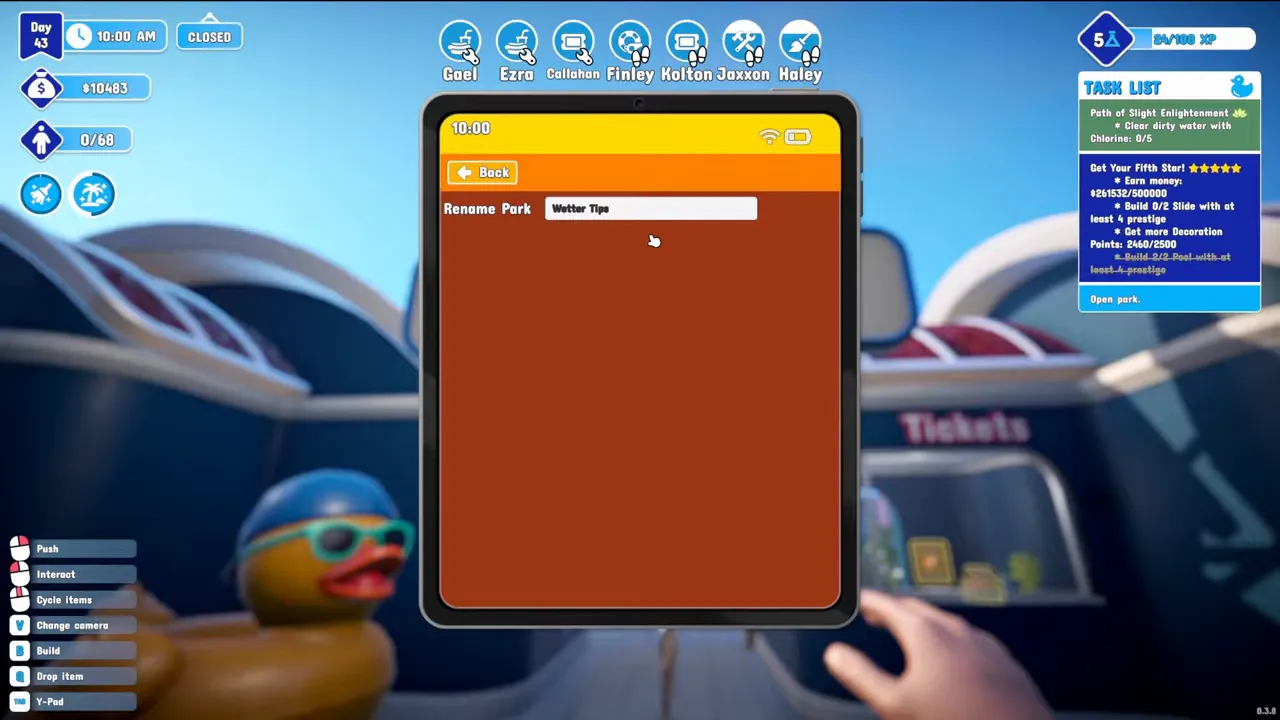
Open the tablet (Tab on PC), go to the Park section and type a new name into Rename Park. The sign over your entrance changes to match. The name you gave the park when you created it is not permanent. A custom logo is set from the same tablet, on PC and in single player only.
Rename the park
- Open the tablet, called the Y-Pad in the control hints at the bottom left: Tab on PC, up on the d-pad on a PS5 controller.
- Open the Park section.
- Click the Rename Park box and type the new name.
- Close the tablet and look at the entrance: the sign now shows the new name.
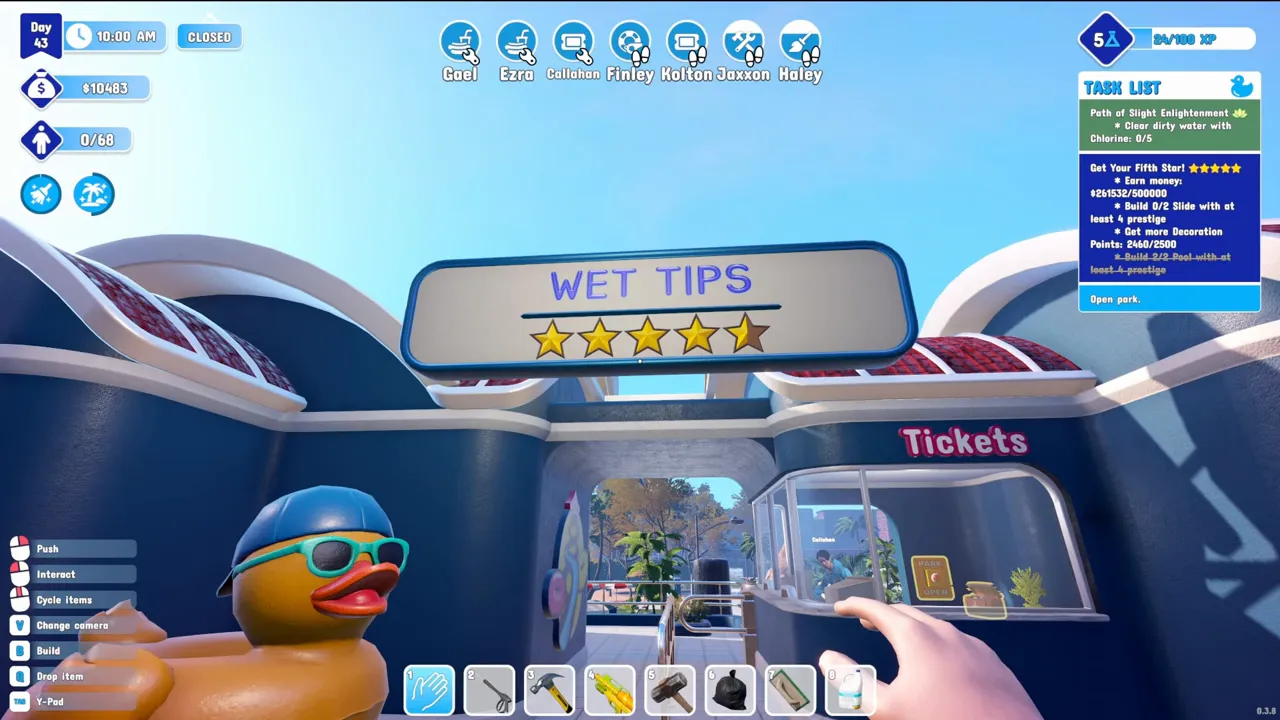
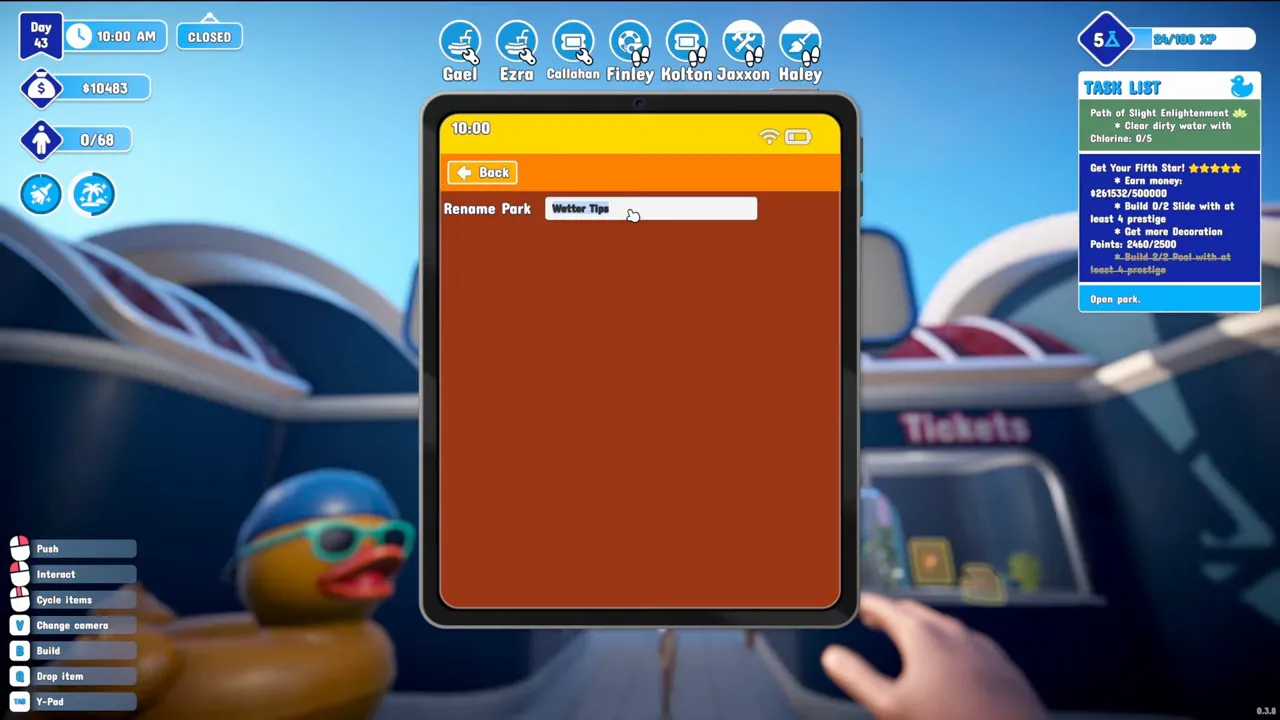
In the first weeks of Early Access the box sat in the tablet's ads section, which is where the developer pointed people: "open the tablet (tab key) and in ads section you can change your name there". By December 2025 it was under Park, and a player who stumbled on it in August 2026 posted the same thing, so on 1.0 look under Park first.
When the name you want is already taken
The name you type on the new game screen is also the save file's name, and demo and full game share the same save slots. That is why a new park cannot reuse the name of your demo park, and why deleting the demo park may not help: players who deleted it found it back the next time, because Steam Cloud downloads the file again.
“The only limitation in terms of names is the save slots (which are shared with the demo), where each file has to have a different name”
- Developer's tip
Rename after creating
Quickest
Create the park under any name, then change it from the tablet. In the developer's words, you can rename it "so it doesn't need to match the save name forever". The save file keeps the old name; the sign shows the new one.
- Steam Cloud
Clear the old save
If you want the file name too
With the game open, delete the demo save from the save folder, then close the game so Steam Cloud syncs the deletion. One player whose save still came back turned Cloud off, deleted it, made the new park, turned Cloud on and chose the local copy when Steam asked.
Save folder (Windows)
%USERPROFILE%\AppData\LocalLow\CayPlay\WaterparkSimulator\slotsCopy the folder somewhere safe before deleting anything. The backups and Steam Cloud behaviour are explained on the save file page.
Put your own logo on the park
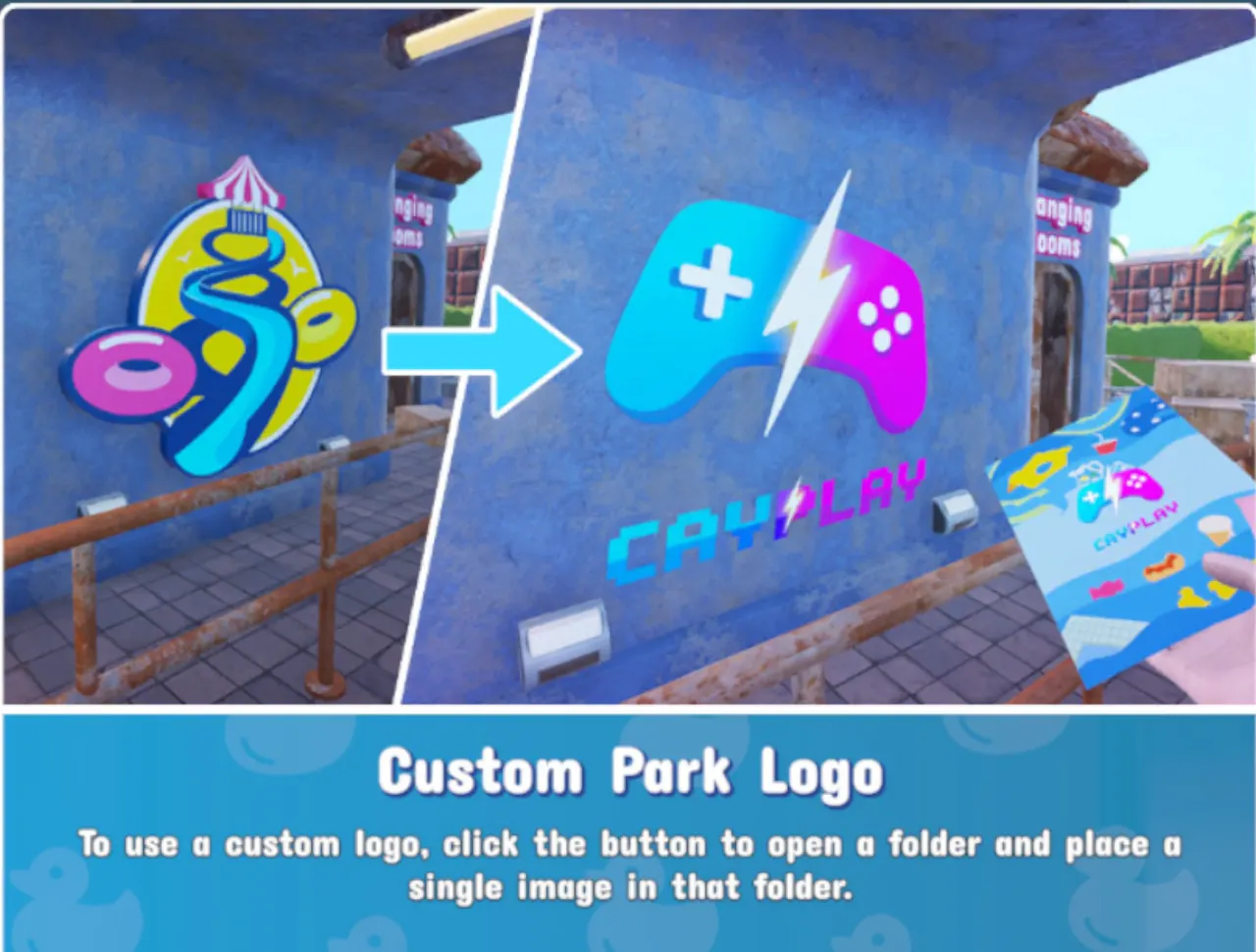
- In a single-player park, open the tablet and find Custom Park Logo. Its button opens the logo folder.
- Put one image in that folder. Players have used JPG and PNG. You do not create a folder or pick the file in game.
- Restart the game. One player's logo only appeared on the entrance after a relaunch.
- The logo shows on the park, and flyers and posters use it as well.
If the button's folder will not open
%userprofile%\AppData\LocalLow\CayPlay\WaterparkSimulatorThe developer's fix for one player: press Win + R, paste this line and press Enter.
- Shape
- Square; 2048×2048 worked unresized
- Framing
- Leave space above and more below
- How many
- One image at a time
- Where
- PC, single player only
The framing tip is about the wall moulding, which cut off the bottom of one player's logo whether the square was 2048, 1024 or 512 pixels. The suggestion that came back was to shrink the design and centre it inside the same canvas. In multiplayer both players tried adding a logo and nothing happened; the developer's answer was "It's single player only".
“The only thing that will be PC only from the new features is the logo (due to the way consoles rules work)”
Signs, arches and slide names
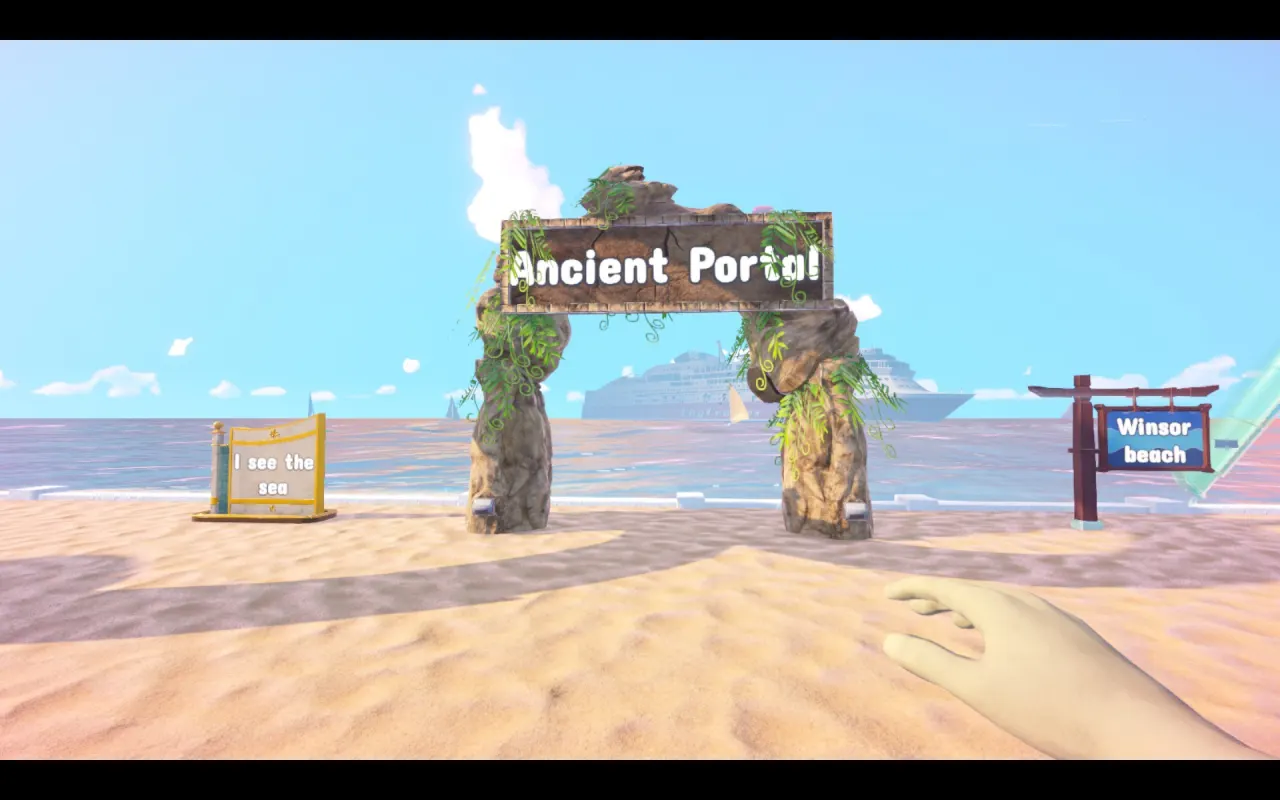
The logo update also added arches and signs as decoration items you can write on, and 1.0.91 made them accept Chinese characters. Signs hide an easter egg since 1.0.93: write Gahook, or one of the other special content creator names, on a sign and that creator shows up in your park. The entrance labels have been paintable since 0.2.19. Individual custom slides can be renamed after building since 1.0.63, handy once a park has a dozen of them.
Park names other players went with
- Aquasplash
- Sploosh Canyon
- Moist Oasis
- Waterfun in the Sun
- Fundorado
- DHMO Containment Centre
- Robert Drowning Jr
- Mom Multiplier Extravaganza
- Murmaider Necro Slides
- Zachrenji Gingiki Park of Fluid
All from two Steam threads where players shared their park names. The last one is a mash-up of the player's boyfriend's, two cats' and dog's names. Remember that the first name you type becomes the save name, so a joke name is safe: you can rename the park later without touching the file.
References
- Steam Community — Help change park name (developer: tablet, ads section)
- Steam Community — Just got game and won't let me rename my park after I deleted demo park
- Steam Community — Same name (Steam Cloud re-downloads the demo save)
- Steam Community — Rename Park.... (under Park, August 2026)
- Steam Community — Custom Logo (developer's Win + R fix)
- Steam Community — Custom logo (size, framing, single player only)
- Steam Community — Custom Logos (restart, one logo at a time)
- Steam Community — Post Your Park Names
- Steam Community — Whats the name of your AWESOME park???
- Your own logo and labels — 28 August 2026 announcement
- Multitasking by the shelves deserves a break — 1.0.91, Chinese characters on signs
- UPDATE 1.0.63 patch notes — rename custom slides
- r/waterparksimulator — 1.0.91 release thread (logo PC only)
- Quick Tips — How To Change Park Name in Waterpark Simulator (YouTube)
Related
- waterpark simulator save file locationOn Windows, Waterpark Simulator keeps each park as an .es3 file in %USERPROFILE%\AppData\L…
- waterpark simulator custom slidesSlides are built segment by segment, so you control the curves, loops and drops. Longer, m…
- waterpark simulator updateThe newest Waterpark Simulator update is 1.0.93, released on 16 September 2026: a small pa…
- waterpark simulator layoutThere is no single correct layout. What separates good parks from frustrating ones is gues…
- waterpark simulator multiplayerYes. Waterpark Simulator has online co-op for up to 4 players including the host, on the s…